Introduction :
Trong bày này mình xin giới thiệu về cách sử Dụng Text Selelection trong TextBox
Crating Silverlight Project:
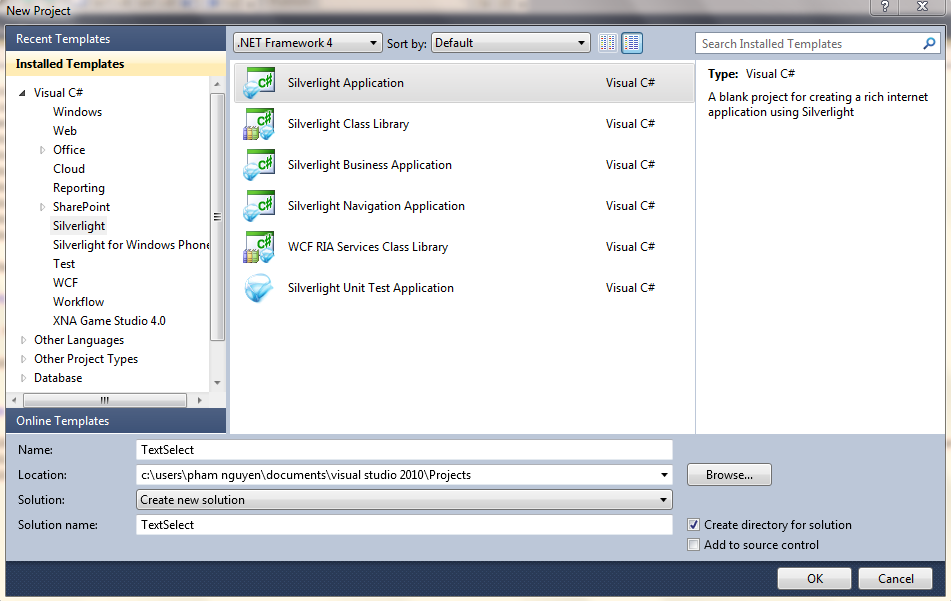
Fire up Visual Studio 2010 and create a Silverlight Application.
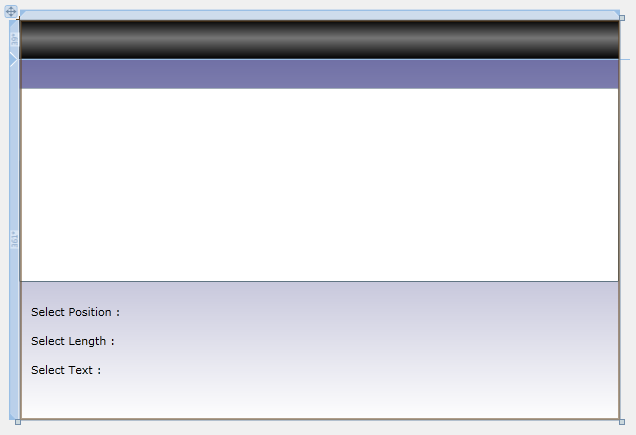
Design dao diện gồm 1 TextBox để nhập Text và 3 TextBlock để lấy thông tin SelectText:
Chúng ta có Code XAML giao diện :
1: <UserControl x:Class="TextSelect.MainPage"
2: xmlns="http://schemas.microsoft.com/winfx/2006/xaml/presentation"
3: xmlns:x="http://schemas.microsoft.com/winfx/2006/xaml"
4: xmlns:d="http://schemas.microsoft.com/expression/blend/2008"
5: xmlns:mc="http://schemas.openxmlformats.org/markup-compatibility/2006"
6: mc:Ignorable="d"
7: d:DesignHeight="400" d:DesignWidth="600">
8:
9: <Grid x:Name="LayoutRoot" Width="600" Height="400">
10: <Grid.RowDefinitions>
11: <RowDefinition Height="39*" />
12: <RowDefinition Height="361*" />
13: </Grid.RowDefinitions>
14: <Grid.Background>
15: <LinearGradientBrush EndPoint="0.5,1" StartPoint="0.5,0">
16: <GradientStop Color="#FF61619D" Offset="0" />
17: <GradientStop Color="White" Offset="1" />
18: </LinearGradientBrush>
19: </Grid.Background>
20: <StackPanel Height="39" HorizontalAlignment="Left" Name="stackPanel1" VerticalAlignment="Top" Width="600">
21: <StackPanel.Background>
22: <LinearGradientBrush EndPoint="0.5,1" StartPoint="0.5,0">
23: <GradientStop Color="Black" Offset="0" />
24: <GradientStop Color="Black" Offset="1" />
25: <GradientStop Color="#FF767676" Offset="0.464" />
26: </LinearGradientBrush>
27: </StackPanel.Background>
28: </StackPanel>
29: <TextBox SelectionChanged="txtInsertText_SelectionChanged" Grid.Row="1" Height="194" HorizontalAlignment="Left" Margin="0,29,0,0" Name="txtInsertText" VerticalAlignment="Top" Width="600" />
30: <TextBlock Grid.Row="1" Height="23" HorizontalAlignment="Left" Margin="12,245,0,0" Name="lblPosition" Text="Select Position :" VerticalAlignment="Top" />
31: <TextBlock Grid.Row="1" Height="23" HorizontalAlignment="Left" Margin="12,274,0,0" Name="lblLength" Text="Select Length :" VerticalAlignment="Top" />
32: <TextBlock Height="23" HorizontalAlignment="Left" Margin="12,303,0,0" Name="lblSelectText" Text="Select Text :" VerticalAlignment="Top" Grid.Row="1" />
33: </Grid>
34: </UserControl>
Tiếp theo chúng ta tạo sự khiện SelectTextChange:
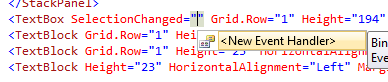
Tiếp theo là Xử Lý sự kiện :
1: using System;
2: using System.Collections.Generic;
3: using System.Linq;
4: using System.Net;
5: using System.Windows;
6: using System.Windows.Controls;
7: using System.Windows.Documents;
8: using System.Windows.Input;
9: using System.Windows.Media;
10: using System.Windows.Media.Animation;
11: using System.Windows.Shapes;
12:
13: namespace TextSelect
14: {
15: public partial class MainPage : UserControl
16: {
17: public MainPage()
18: {
19: InitializeComponent();
20: }
21:
22: private void txtInsertText_SelectionChanged(object sender, RoutedEventArgs e)
23: {
24: lblPosition.Text = String.Format("Select Position : From {0} To {1}",txtInsertText.SelectionStart,(txtInsertText.SelectionLength + txtInsertText.SelectionStart)-1);
25: lblLength.Text = String.Format("Select Length : {0}",txtInsertText.SelectionLength);
26: lblSelectText.Text = String.Format("Select Text : {0}",txtInsertText.SelectedText);
27: }
28: }
29: }
Run Application (Ctrl + F5) và xem kết quả

 Pham Nguyen