I.Introduction
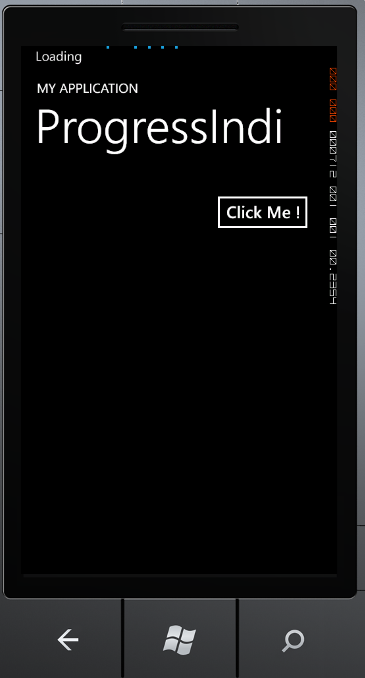
– Trong Windows Phone để thể hiện trạng thái Loading của một tiến trình nào đó chúng ta có thể dùng Progress bar, ngoài ra chúng ta còn có thể dùng ProgressIndicator.
– Trong bài này mình xin chia sẻ cách sử dụng ProgressIndicaton trong Windows Phone 7
II.Fundamental
– Trước tiên chúng ta Windows Phone Applicaton Project.
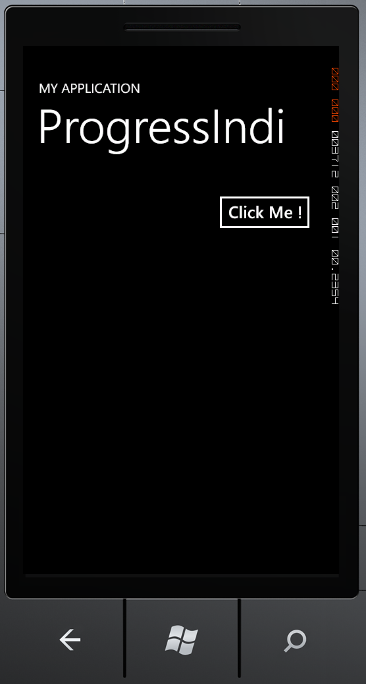
– Sau đó làm 1 giao diện đơn giản có 1 Button, để khi Click vào Button sẽ kích hoạt ProgressIndicatior.
tiếp theo chúng ta làm 1 hàm để Set ProgressIndicator :
1: void setProgressIndicator(bool p)
2: {
3:
4: ProgressIndicator _Progress;
5: _Progress = new ProgressIndicator();
6: _Progress.IsVisible = p;
7: _Progress.IsIndeterminate = true;
8: _Progress.Text = "Loading";
9: SystemTray.SetProgressIndicator(this, _Progress);
10: }
bây giờ chúng ta chỉ cần gọi phương thức setProgressIndicator trong Button Click để kích hoạt
Full XAML Code :
1: using System;
2: using System.Collections.Generic;
3: using System.Linq;
4: using System.Net;
5: using System.Windows;
6: using System.Windows.Controls;
7: using System.Windows.Documents;
8: using System.Windows.Input;
9: using System.Windows.Media;
10: using System.Windows.Media.Animation;
11: using System.Windows.Shapes;
12: using Microsoft.Phone.Controls;
13:
14: using Microsoft.Phone.Shell;
15: namespace LocalDatabaseWP7
16: {
17: public partial class MainPage:PhoneApplicationPage
18: {
19: bool isClick = false;
20: public MainPage()
21: {
22: InitializeComponent();
23: this.btnClick.Click += btnClick_Click;
24: }
25:
26: void btnClick_Click(object sender, RoutedEventArgs e)
27: {
28: if (isClick == false)
29: isClick = true;
30: else
31: isClick = false;
32: setProgressIndicator(isClick);
33: }
34: void setProgressIndicator(bool p)
35: {
36: ProgressIndicator _Progress;
37: _Progress = new ProgressIndicator();
38: _Progress.IsVisible = p;
39: _Progress.IsIndeterminate = true;
40: _Progress.Text = "Loading";
41: SystemTray.SetProgressIndicator(this, _Progress);
42: }
43: }
44: }
Kết quả :
 Pham Nguyen